โฑ๏ธ Do It Now
Create a OneNote Page and copy this into the title:
Lesson 3 - Summer 1 - Image Data
Copy this into a OneNote Page and complete it
|
๐ Do It Now |
|
Answer each of the following: (1) Explain why we need Hexadecimal (2) Give the Hexadecimal value for fifteen (3) Explain the relationship between a 4 bit binary number and a Hexadecimal character ExtensionComplete some hexadecimal conversions: Denary to Hex Convertor |
๐ฏ Learning Objectives
- LO1: Explain how pixels work and how each diode is controls a part of the visible spectrum
- LO2: Explain the relationship between hexadecimal colour values, binary numbers and the value of each diode
- LO3: Explain what is meant by colour depth; considering how it impacts on image quality and file size
What is a Pixel?
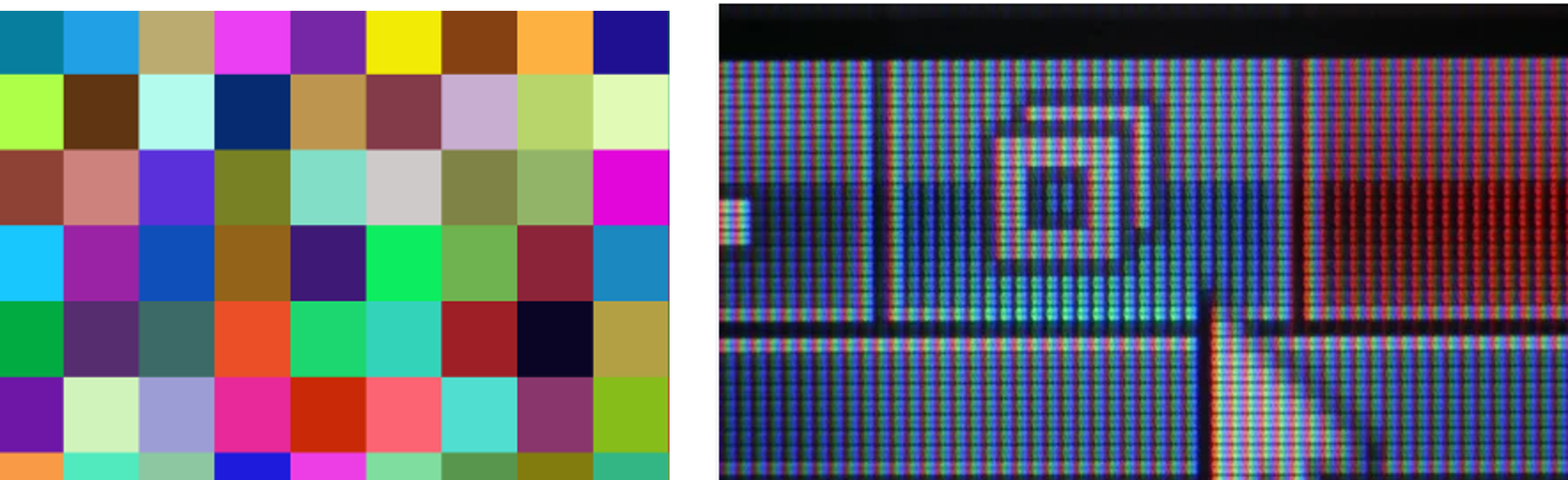
A pixel (picture element) is the smallest part of a digital image.
Screens are made of millions of pixels working together.
Each pixel can display its own colour.
Inside a Pixel
Each pixel is made of 3 tiny light sources called diodes:
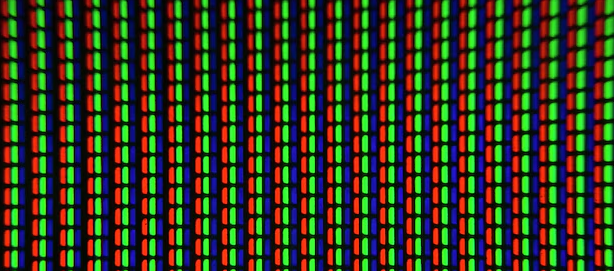
Together these are able to create RGB images.
Intensity
Each RGB diode has 256 levels of brightness.
0 = off ๐ด --- 255 = fully bright ๐ก
By combining the diodes at different intensities we are able to create different colours
A bit like an artist mixing different amounts of coloured paint!
๐จColour Mixing
Colours are created by mixing RGB values:
- (255,0,0) = Red
- (0,255,0) = Green
- (0,0,255) = Blue
- (255,255,255) = White
Binary
Each colour value uses 8 bits (a byte).
0 โ 00000000
255 โ 11111111
RGB = 3 ร 8 bits = 24 bits per pixel
Hex Colours
Humans write colours as hexadecimal because it is easier to work with than big binary numbers
e.g.
Interactive Pixel
Now it is your turn; change the hex value to see how the overall pixel colour changes, and how the intensity of each diode changes
Edit the hex value:
Binary
Diode Intensities
Pixel
Activity: Explain How Colour is Represented
Task: Write a detailed explanation of how colour data is represented by computers.
You must include:
- What a pixel is
- What diodes are and how many there are per pixel
- How many different intensity levels each diode has
- How intensities combine to create a final colour
- How values are stored in binary and how this links to hexadecimal (#RRGGBB)
Use the Pixel Simulator:
- Choose at least two different colours
- Record their hex values
- Include the binary values for each
- Explain how the diode intensities change
Challenge: Can you explain why 24 bits allows for over 16 million colours?
Do All Images Use Full Colour?
Not all images use full 24-bit RGB colour.
Some images reduce the number of bits per pixel to save storage space.
This means:
- Less memory is needed
- But fewer colours can be displayed
This trade-off is called colour depth.
What is Colour Depth?
Colour depth is the number of bits used per pixel to represent colour.
This means each pixel stores a certain number of bits to define its colour.
More bits per pixel = more possible colours.
It is sometimes called bit depth.
Colour Depth Examples
1-bit
2ยน = 2 colours
2-bit
2ยฒ = 4 colours
3-bit
2ยณ = 8 colours
4-bit
2โด = 16 colours
Why Colour Depth Matters
| Higher Colour Depth | Lower Colour Depth |
|---|---|
| More realistic images | Less realistic images |
| Smoother gradients | Visible banding |
| Uses more memory | Uses less memory |
Interactive Colour Depth
Adjust the colour depth:
8 bits
Number of Colours
Gradient Preview
Activity
Task: Explain how colour depth affects the quality of an image.
You must include:
- What colour depth means
- How bits per pixel affect colour
- Examples of different colour depths
- The effect on image quality
Use the simulator:
- Test different bit values
- Describe how the gradient changes
Challenge: Why does increasing colour depth increase file size?
๐ MWB Reflection Task
|
๐ MWB Reflection Task |
|
Open the mini-whiteboard app in a new tab Your teacher will start with these leading questions:
|